Parking violations from misunderstood signs are among the most common citations issued to drivers. Parking signs are deliberately complex, layered with multiple regulations, and designed by local governments that don't always prioritize clarity. The result? Thousands of preventable tickets every day, costing drivers millions in fines. You're not alone if you've received a parking citation — many result from genuine confusion about sign interpretation, not rule-breaking.
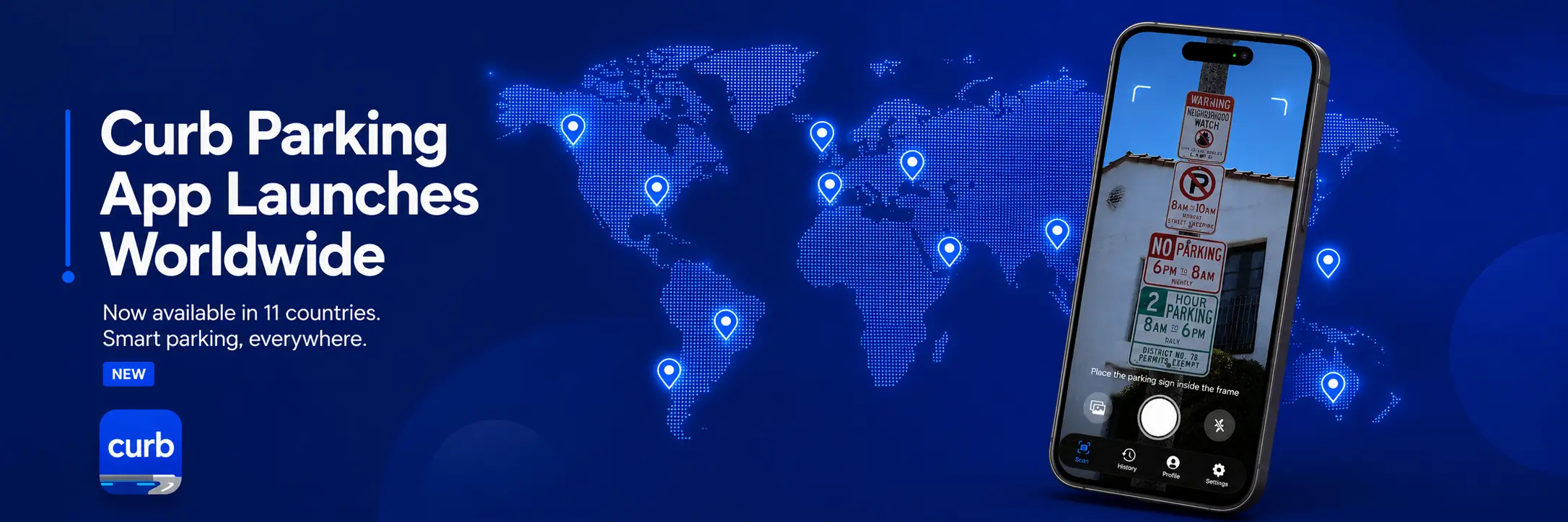
The good news: most of these tickets are completely avoidable. You just need to decode the signs correctly. That's where the Curb app comes in—a simple tool that scans any parking sign and tells you instantly if you're allowed to park there.
Key Takeaways
- A significant percentage of parking violations come from sign confusion, not intentional rule-breaking
- Most parking fines ($30–$500) are preventable with correct sign interpretation
- The Curb app scans parking signs and gives you three instant answers: Allowed, Not Allowed, or Conditional
- Start free: 5 scans per month, or go unlimited for $1.99/month
- Available now on the App Store
Mistake #1: Misunderstanding Colored Curbs & Multiple Sign Combinations
Parking sign confusion typically starts with colored curbs. Red, yellow, white, blue, green—each color theoretically means something different, but rules vary dramatically by location. Add a time restriction sign, a permit sign, and a street cleaning notice, and you have a recipe for disaster. For official guidance on curb color meanings in your jurisdiction, check your local Department of Transportation website or city parking authority.
Colored curb violations are among the most common parking violations globally. A driver sees a yellow curb and thinks "loading zone only"—but in some cities, it's "commercial vehicles only" or "2-hour limit." They park anyway. Ticket.
The Curb Solution: With a single photo, Curb analyzes the curb color, all visible signage, and your location to eliminate ambiguity. You get one of three instant answers:
- Allowed ✓ — You can park here right now
- Not Allowed ✗ — You cannot park here under any circumstances
- Conditional ⚠️ — You can park, but only under specific conditions (e.g., "Allowed Mon-Fri 8am-6pm only" or "Allowed with valid resident permit")
Mistake #2: Misreading Time-Limit Signs (When Does the Rule Actually Apply?)
This is the second-most common source of parking confusion. A sign reads: "2 HR PARKING 8AM-6PM MON-FRI." You park on a Saturday afternoon, thinking you're in the clear. Wrong—you're actually allowed to park for 2 hours, but only on weekdays. Or is the sign saying no parking 8am-6pm, meaning you can park outside those hours? The ambiguity costs drivers money.
Time-limit violations consistently rank among the top parking violations in every city because drivers misinterpret when the rule applies. A $65 ticket becomes $165+ after late fees and penalties if you miss the enforcement window.
What Curb Does Differently: Time-aware analysis is built into Curb's engine. When you scan a sign, the app uses your device's current date, day of week, and time to interpret the regulation contextually. A "2 HR PARKING 8AM-6PM MON-FRI" sign means one thing on Saturday afternoon (allowed, 2-hour limit) and something entirely different on Monday morning (conditional, 2-hour limit 8am-6pm only). Curb shows you the right answer for the exact moment you're scanning.
Mistake #3: Confusing Permit-Only Parking Restrictions
Permit parking violations are expensive, and they're easy to miss. A sign reads "PERMIT PARKING ONLY," and you think, "I don't have a permit, so I can't park here." But what if you're a visitor with a temporary permit? What if the restriction only applies certain hours? What if you live nearby and just haven't registered yet?
These violations carry substantial fines per ticket and are frequently issued to drivers who misunderstood the scope of the restriction. For specific fine amounts in your area, consult your local parking enforcement authority or traffic code database — fines vary significantly by jurisdiction.
Curb's Approach: When you photograph a permit-only sign, Curb parses whether the restriction is universal or conditional. Many cities allow unrestricted parking after certain hours or on specific days, even in permit zones. Curb identifies these exceptions and surfaces them in your result. Instead of assuming you can't park, you get the real rules for that exact time and location.
Mistake #4: Missing Hidden Restrictions (Street Cleaning, Temporary Bans, Events)
This is where drivers get blindsided. The main sign says "2-Hour Parking," so they park confidently. But in small text below, there's "No Parking Thu 8am-11am—Street Cleaning." Or a temporary sign (barely visible) announces "No Parking June 20-22 for Road Construction." These hidden restrictions cause thousands of violations because drivers only read the large, obvious sign. Always check your city's parking and street maintenance calendar for temporary restrictions in your area.
How Curb Works Here: Unlike humans (who often miss small signs), Curb's image recognition captures and analyzes every visible regulation in your frame—primary signs, secondary signs, small-print notices, and temporary banners. The app cross-references what it sees with real-time date/time data to deliver a complete, accurate answer. Wednesday's "Allowed" becomes Thursday's "Not Allowed—Street cleaning 8am-11am" because Curb actually reads the full regulation set.
Mistake #5: Dealing With Overlapping Regulations (Multiple Signs = Total Confusion)
In dense urban areas, a single parking spot can be governed by 3–5 different regulations simultaneously: main sign, time restrictions, permit rules, street cleaning days, and event bans. Even attentive drivers struggle to synthesize all of this.
You need to know: Can I park here right now? Under what conditions? Until when? Is there a street cleaning day I need to remember?
Curb's Unified Verdict: A single camera angle that captures all overlapping regulations gives Curb everything it needs to synthesize a single, definitive answer. Rather than you having to mentally reconcile five competing regulations, Curb does the work. The result is delivered as Allowed ✓, Not Allowed ✗, or Conditional ⚠️—plus a plain-language explanation of any conditions. Clarity instead of confusion.
How to Use Curb in 3 Steps
Using Curb is simple:
- Open the Curb app and position your phone's camera to capture the parking sign(s)
- Tap "Scan" — Curb analyzes the sign(s), colors, and location
- Get your answer — Allowed, Not Allowed, or Conditional (with specific conditions)
That's it. You have your answer before you even decide to park.